
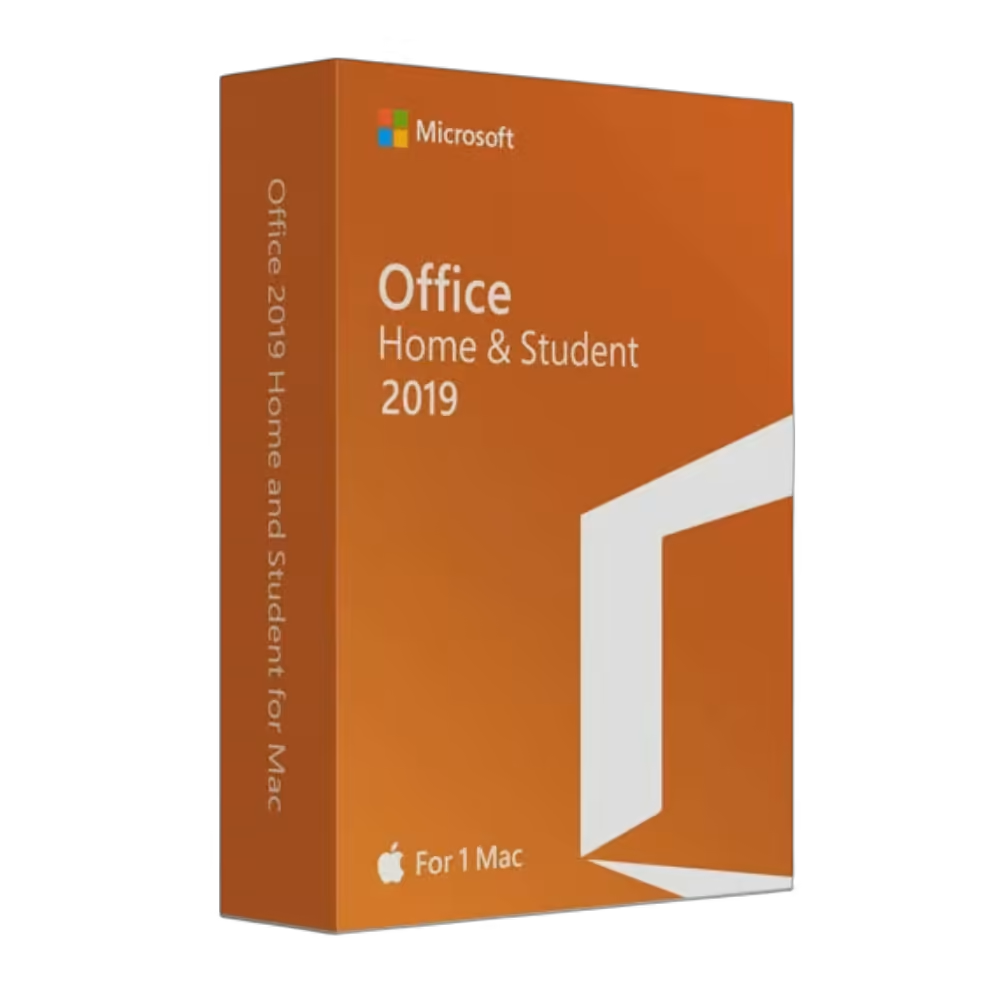
Microsoft Office Home And Student 2019 (Mac)
Original price was: 149,00 €.99,99 €Current price is: 99,99 €.
100 in stock
● In your inbox in under 3 minutes — instant digital delivery
Get a 100% genuine, lifetime license for Microsoft Office Home & Student 2019. As an Authorized Microsoft Partner, we offer the classic macOS productivity toolkit.
Perfect for basic home projects and school assignments. A straightforward, permanent license with no recurring fees. For non-commercial use.
✅ One-Time Purchase (No Subscriptions)
✅ Includes Word, Excel & PowerPoint
✅ Licensed for 1 Mac
✅ Instant Email Delivery
✅ Premium Technical Support
Warranty: Includes our 1-Month Activation Guarantee to be eligible for our lifetime replacement warranty.
SSL encrypted · refund if activation fails
Description
Why buy from Arco Software?
- ✅ Verified Microsoft Partner (ID: 7033487): Ensure your license is authentic and secure.
- ✅ Instant Digital Delivery: Get started within minutes of purchase.
- ✅ Fast Support: We offer email and remote installation support if needed.
- ✅ Money-Back Guarantee: We offer a refund if activation fails (within the warranty period and according to our Terms & Conditions).
What is Microsoft Office Home And Student 2019 (Mac)?
Microsoft Office Home and Student 2019 for Mac is a classic desktop productivity suite for users who need Word, Excel, PowerPoint, and OneNote on macOS without ongoing subscription costs.
As an Authorized Microsoft Partner (ID: 7033487), we provide 100% genuine, new retail licenses.
This is a perpetual (non-subscription) Retail license for Mac. You pay once and own the software forever. It is ideal for students, households, and Mac users who prefer the proven 2019 Office generation for non-commercial use.
Key Features of Microsoft Office Home And Student 2019 (Mac)
- ✅ Essential Productivity Apps: Includes Word, Excel, PowerPoint, and OneNote.
- ✅ Built for macOS: Designed for users who want the classic Office workflow on Mac.
- ✅ Great for Study and Home Use: Ideal for coursework, homework, and personal document work.
- ✅ Legacy Perpetual Version: Ideal for users who prefer the proven 2019 generation.
Product Specifications
| Brand | Microsoft |
|---|---|
| Edition | Office Home and Student 2019 |
| Key Format | Retail Key |
| License Type | Perpetual (Lifetime) |
| Intended Use | Home / Student / Non-Commercial Use |
| Language | Multilingual |
| Architecture | 64-bit (Intel Mac) |
| Activation Method | Online activation using the official Microsoft download link provided by email |
| Region | Global |
How to Activate Your License
- After purchase, you will receive your Product Key and the official Microsoft download link via email.
- Download the installer from the link provided in your order email.
- Install Office Home and Student 2019 on your Mac.
- Open any Office app and enter your 25-digit product key when prompted.
- Complete the online activation process.
Note: Detailed installation instructions are provided in the confirmation email.
Minimum System Requirements
| Operating System | Supported macOS version |
|---|---|
| Processor | Intel-based Mac |
| RAM | 4 GB |
| Storage | 10 GB of available disk space |
Home & Student vs. Home & Business – Which One Do You Actually Need?
If you only need Word, Excel, PowerPoint, and OneNote, Office Home and Student 2019 is usually enough. But if you need Outlook and a more business-ready edition, Office Home and Business 2019 is the better fit.
| I need this feature… | Office Home and Student 2019 (This Product) | Office Home and Business 2019 |
|---|---|---|
| Word, Excel, PowerPoint, OneNote | ✅ YES | ✅ YES |
| Outlook included | ❌ NO | ✅ YES |
| Best choice for | Students, households, and Mac users who only need the core Office apps | Users who also need Outlook for email, calendar, and business communication |
Frequently Asked Questions
Is this a subscription?
No. This is a perpetual (non-subscription) license with a one-time payment.
How many Macs can I use it on?
This license is for 1 Mac. The software must only be used on one device at a time.
Can I reinstall the software later?
Yes. Reinstallation is possible on the same device in accordance with the applicable license terms.
Does it include Outlook?
No. Outlook is not included in the Home and Student edition.
Does it work on Windows?
No. This version is for Mac only.
Additional information
| Brand | Microsoft |
|---|---|
| Language | Multilingual |
| Edition | Home & Student |
| Delivery Method | Instant Delivery |
| Number of Devices | 1 Device |
| Region | Global |
| Platform | MacOS |
| Product Family | Office |
| Intended Use | Home / Personal Use |
| Architecture | Apple Intel |
| Key Format | Retail Key |
| Activation Method | Online Activation |
You might also like
-
Sale!
Windows 11 Enterprise LTSC 2024
Original price was: 79,99 €.39,99 €Current price is: 39,99 €.Price includes VAT where it applies. Business customers can enter a valid EU VAT number at checkout to have VAT removed.
Notify me -
Sale!

Windows 10 Pro N – Retail License
Original price was: 21,90 €.11,90 €Current price is: 11,90 €.Price includes VAT where it applies. Business customers can enter a valid EU VAT number at checkout to have VAT removed.
Get my license → -
Sale!

Ultimate Launch Bundle! Windows 11 Pro + Office 2024 (Lifetime)
Original price was: 54,99 €.27,99 €Current price is: 27,99 €.Price includes VAT where it applies. Business customers can enter a valid EU VAT number at checkout to have VAT removed.
Get my license → -

Windows 10 Pro for Workstations
24,90 €Price includes VAT where it applies. Business customers can enter a valid EU VAT number at checkout to have VAT removed.
Get my license →