Description
Why buy from Arco Software?
- ✅ Verified Microsoft Partner (ID: 7033487): Ensure your license is authentic and secure.
- ✅ Fast Digital Delivery: Receive your product key securely via email, typically within 5 to 60 minutes.
- ✅ Fast Support: We offer email and remote installation support if needed.
- ✅ Money-Back Guarantee: We offer a refund if activation fails (within the warranty period and according to our Terms & Conditions).
What is Microsoft Visual Studio 2017 Professional?
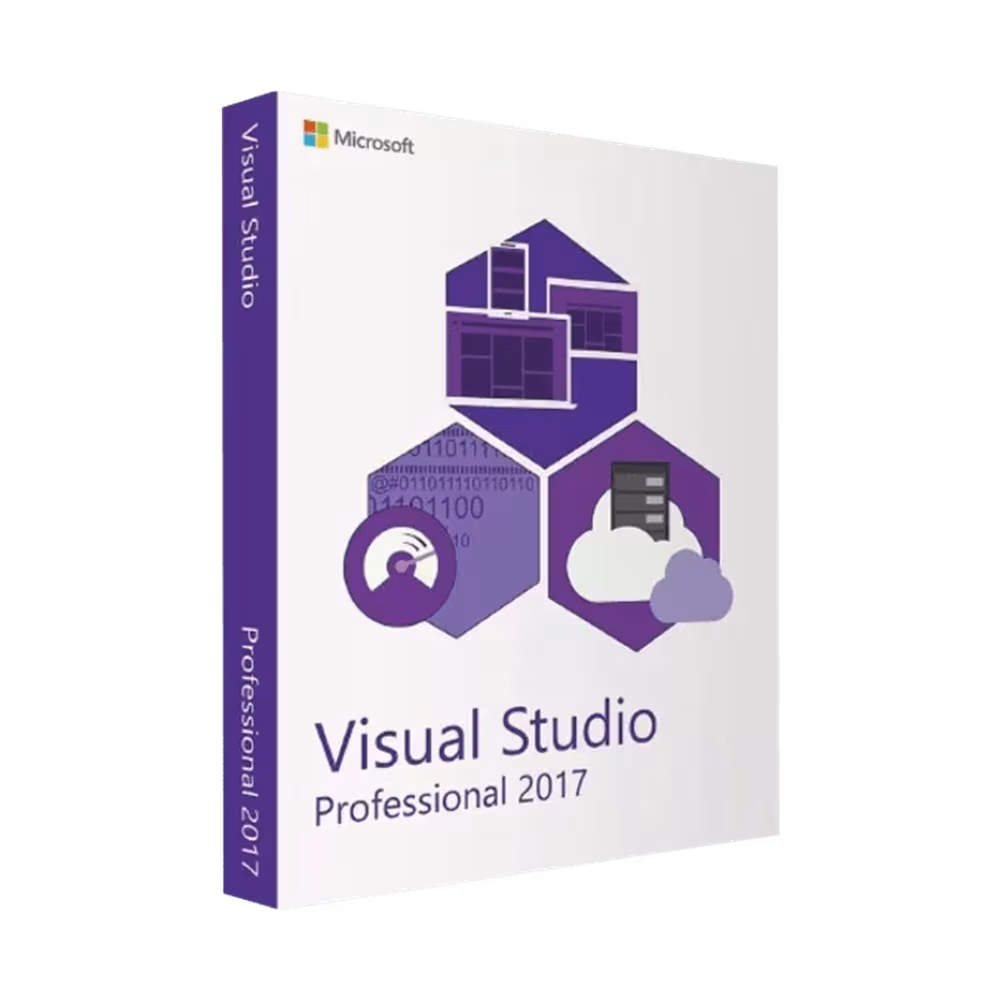
Visual Studio 2017 Professional is the essential toolkit for developers who need to maintain, hotfix, or compile applications built on older architectures. It is the practical choice when upgrading an old project to VS 2022 or 2026 would break the build or violate strict client compatibility requirements.
As an Authorized Microsoft Partner (ID: 7033487), we guarantee a 100% genuine lifetime license.
This is a perpetual (one-time purchase) license for Windows. VS 2017 is in extended support until April 2027 (version 15.9), meaning it still receives Microsoft security updates — making it a safe, budget-friendly environment for managing legacy codebases and aging systems.
Key Features of Microsoft Visual Studio 2017 Professional
- ✅ Extended Support Until April 2027: VS 2017 version 15.9 is still receiving security updates from Microsoft — it is not an abandoned product.
- ✅ Crucial Legacy Compatibility: The only safe way to compile older projects without encountering compatibility breaks caused by modern IDE versions.
- ✅ Classic Plugin & Extension Support: Continue using older third-party Visual Studio plugins and extensions that were never updated for newer versions.
- ✅ Core Debugging & Profiling: Includes all standard tools necessary to hunt down bugs, manage memory, and update older C# or C++ codebases.
- ✅ Git Integration: Built-in Git support for source control — clone, commit, and push without leaving the IDE.
- ✅ Highly Cost-Effective: Fix old code and manage technical debt without overpaying for high-end corporate QA features.
Product Specifications
| Brand |
Microsoft |
| Edition |
Visual Studio 2017 Professional |
| Key Format |
Retail License Key |
| License Type |
Perpetual (Lifetime) – 1 PC or 5 PC variant |
| Intended Use |
Individual / Basic Legacy Maintenance |
| Language |
Multilingual |
| Architecture |
Runs on 64-bit Windows (IDE itself is a 32-bit application) |
| Activation Method |
Online activation within the software interface |
| Region |
Global |
How to Activate Your License
- After purchase, you will receive your License Key and official installation instructions by email.
- Download the setup file directly from the official Microsoft source provided.
- Install the software and select your required development workloads.
- Launch Visual Studio 2017 Professional. When prompted, enter your 25-digit product key.
- Complete the activation and start coding.
Minimum System Requirements
| Operating System |
Windows 10, Windows 8.1, Windows 7 SP1 · Windows Server 2012 R2, Windows Server 2016 |
| Processor |
x86 or x64 — 1.8 GHz or faster (dual-core minimum, quad-core recommended) |
| RAM |
2 GB minimum · 4 GB recommended |
| Storage |
1 GB minimum · typical installation 20–40 GB · up to 130 GB depending on selected workloads · SSD recommended |
| Display |
1024 × 768 minimum · 1920 × 1080 or higher recommended |
| Architecture Note |
VS 2017 is a 32-bit application that runs on 64-bit Windows. Unlike VS 2022/2026, it does not have a native 64-bit IDE core. |
Professional vs. Enterprise 2017 – Which One Fits Your Needs?
If your goal is simply to keep an old application running or compile a legacy build, Professional provides incredible value. Step up to Enterprise only if your company mandates code-coverage reporting, IntelliTrace, or full architectural validation.
| Feature Comparison |
VS 2017 Professional (This Product) |
VS 2017 Enterprise |
| Legacy Compiler & Toolchain Support |
✅ YES |
✅ YES |
| Classic Plugin Compatibility |
✅ YES |
✅ YES |
| Git Integration |
✅ YES |
✅ YES |
| IntelliTrace (Historical Debugging) |
❌ NO |
✅ YES |
| Code Clone Detection |
❌ NO |
✅ YES |
| Code Coverage & Microsoft Fakes |
❌ NO |
✅ YES |
| Architectural Validation & Code Maps |
❌ NO |
✅ YES |
| Primary Focus |
Basic legacy maintenance & compilation |
Auditing, test coverage & deep diagnostics |
Frequently Asked Questions
Is this a subscription?
No. This is a perpetual (lifetime) license with a single, one-time payment. There are no ongoing monthly or annual fees.
How many computers can I activate with this license?
Depending on the variant you choose, it is valid for 1 PC or up to 5 PCs. The 1-PC variant is for a single workstation. The 5-PC variant provides a single product key that allows concurrent activation on up to 5 different workstations.
What happens if I exceed my purchased activation limit?
Your key will be permanently blocked. Microsoft’s activation servers monitor hardware IDs. If the system detects concurrent activations on more machines than your purchased variant allows, the license will be automatically and irreversibly blacklisted. We do not provide refunds or replacements for keys blocked due to over-activation.
Can I transfer the license to a new PC if I upgrade my hardware?
Yes, but you must completely uninstall it first. You must ensure the software is fully removed from the old machine before activating it on the new one to avoid exceeding your activation limit.
Is VS 2017 still supported by Microsoft?
Yes — until April 2027. VS 2017 version 15.9 is in extended support, meaning it still receives security updates from Microsoft. It is not an abandoned product. After April 2027, no further updates will be issued.
What .NET versions does VS 2017 support?
VS 2017 supports .NET Framework and .NET Core up to version 2.x. It does not support .NET 5 or newer. If you need to work with .NET 5+, you will need Visual Studio 2019, 2022, or 2026.
Why would I choose VS 2017 over VS 2019?
For very specific compatibility reasons. Some older third-party components, build tools, or extension pipelines are tied to the VS 2017 toolchain (MSBuild 15) and cannot be cleanly upgraded. If your project builds correctly in VS 2017 but produces errors in VS 2019, VS 2017 is the right environment to maintain it.
Can I install VS 2017 alongside VS 2022 or 2026?
Yes. Side-by-side installation is fully supported. You can run VS 2017, VS 2019, VS 2022, and VS 2026 on the same machine simultaneously with no conflicts.
Does it work on macOS?
No. Visual Studio Professional and Enterprise editions are built exclusively for Windows. For macOS development, Microsoft offers Visual Studio Code (free).
How fast will I receive my product key?
Orders are processed quickly. You will typically receive your product key and installation instructions via email within 5 to 60 minutes. In rare cases or outside of standard business hours, delivery may take up to a maximum of 8 hours.

 Windows 11 Home Retail License - Lifetime
1 × 17,99 €
Windows 11 Home Retail License - Lifetime
1 × 17,99 €  Windows 11 Home N - Retail License Key
1 × 17,99 €
Windows 11 Home N - Retail License Key
1 × 17,99 €  Windows 11 Pro Retail license
1 × 14,99 €
Windows 11 Pro Retail license
1 × 14,99 €