

Microsoft Visual Studio 2026 Professional Key
● In your inbox in under 3 minutes — instant digital delivery
Get a 100% genuine, lifetime license for Microsoft Visual Studio 2026 Professional. As an Authorized Microsoft Partner, we offer the essential development toolkit.
Engineered for independent coders and agile teams. This streamlined, lightning-fast 64-bit IDE provides everything you need for modern .NET and C++ development without enterprise bloat.
- ✅ One-Time Purchase (No Subscriptions)
- ✅ AI-Ready IDE: Built-in GitHub Copilot integration (Copilot subscription required separately)
- ✅ Full .NET 10 & C# 14 Support
- ✅ Licensed for 1 PC or 5 PCs (Select your variant)
- ✅ Fast Email Delivery (Typically 5–60 Minutes)
- ✅ Premium Technical Support
Warranty: Includes our 1-Month Activation Guarantee to be eligible for our lifetime replacement warranty.
SSL encrypted · refund if activation fails
Description
Why buy from Arco Software?
- ✅ Verified Microsoft Partner (ID: 7033487): Ensure your license is authentic and secure.
- ✅ Fast Digital Delivery: Receive your product key securely via email, typically within 5 to 60 minutes.
- ✅ Fast Support: We offer email and remote installation support if needed.
- ✅ Money-Back Guarantee: We offer a refund if activation fails (within the warranty period and according to our Terms & Conditions).
What is Microsoft Visual Studio 2026 Professional?
Step into the future of coding with Visual Studio 2026 Professional. Engineered for independent developers, freelancers, and agile teams, this version strips away the heavy enterprise bloat to deliver an incredibly fast, streamlined, and highly responsive 64-bit coding environment.
As an Authorized Microsoft Partner (ID: 7033487), we guarantee a 100% authentic lifetime license.
This is a perpetual (one-time purchase) license for Windows. Visual Studio 2026 is the first AI-native release of Microsoft’s flagship IDE — introducing GitHub Copilot deeply integrated into debugging, code completion, and development workflows, alongside dramatically faster solution load times and a refreshed Fluent UI design.
Key Features of Microsoft Visual Studio 2026 Professional
- ✅ AI-Native Development: GitHub Copilot is deeply integrated into the IDE — code suggestions, chat assistance, debugging insights, and automated task workflows built directly into your daily coding rhythm.
- ✅ Dramatically Faster Performance: Large .NET solutions load up to 2× faster than Visual Studio 2022. Startup is faster, UI stays responsive during background indexing, and memory usage is reduced by 30% on average.
- ✅ Full .NET 10 & C# 14 Support: First-class support for the latest .NET ecosystem including web, cloud, desktop, and AI workloads — plus all modern C# 14 language features.
- ✅ ARM64 & 64-bit Architecture: Takes full advantage of both x64 and ARM64 processors to handle massive solutions without memory limitations.
- ✅ Full Compatibility with VS 2022: Over 4,000 existing extensions work without modification. Import your settings and switch without disruption.
- ✅ Cost-Effective Power: Delivers everything a daily coder needs at a fraction of the Enterprise edition’s price.
Product Specifications
| Brand | Microsoft |
|---|---|
| Edition | Visual Studio 2026 Professional |
| Key Format | Retail License Key |
| License Type | Perpetual (Lifetime) – 1 PC or 5 PC variant |
| Intended Use | Professional / Individual Development |
| Language | Multilingual |
| Architecture | 64-bit (x64) / ARM64 |
| Activation Method | Online activation within the software interface |
| Region | Global |
How to Activate Your License
- After purchase, you will receive your License Key and official installation instructions by email.
- Download the setup file directly from the official Microsoft source provided.
- Install the software and select your required development workloads.
- Launch Visual Studio 2026 Professional. When prompted, enter your 25-digit product key.
- Complete the activation and start coding.
Minimum System Requirements
| Operating System | Windows 11 or Windows 10 (64-bit only) · Windows Server 2019, 2022, 2025 |
|---|---|
| Processor | ARM64 or AMD64/x64 — quad-core or better recommended (16+ cores for best performance). ARM32 not supported. |
| RAM | 4 GB minimum · 16 GB recommended for typical professional solutions · 64 GB for best performance |
| Storage | 2.5 GB minimum · typical installation 20–50 GB · up to 210 GB depending on selected workloads · SSD strongly recommended |
| Display | 1366 × 768 minimum · 1920 × 1080 or higher recommended |
| Architecture Note | Strictly 64-bit — 32-bit operating systems are NOT supported. ARM32 processors are NOT supported. |
Professional vs. Enterprise 2026 – Which One Fits Your Needs?
If your focus is purely on writing, compiling, and standard debugging, Professional is the most cost-effective choice. Step up to Enterprise only if your workflow demands deep code isolation or automated background testing.
| Feature Comparison | VS 2026 Professional (This Product) | VS 2026 Enterprise |
|---|---|---|
| Core .NET & C++ Development | ✅ YES | ✅ YES |
| GitHub Copilot & AI Integration | ✅ YES | ✅ YES |
| CodeLens | ✅ YES | ✅ YES |
| Background Unit Testing (Live Unit Testing) | ❌ NO | ✅ YES |
| Advanced Memory Diagnostics & Code Coverage | ❌ NO | ✅ YES |
| Target User | Independent coders & agile teams | Large corporate test environments |
Frequently Asked Questions
Is this a subscription?
No. This is a perpetual (lifetime) license with a single, one-time payment. There are no ongoing monthly or annual fees.
How many computers can I activate with this license?
Depending on the variant you choose, it is valid for 1 PC or up to 5 PCs. The 1-PC variant is for a single workstation. The 5-PC variant provides a single product key that allows concurrent activation on up to 5 different workstations.
What happens if I exceed my purchased activation limit?
Your key will be permanently blocked. Microsoft’s activation servers monitor hardware IDs. If the system detects concurrent activations on more machines than your purchased variant allows, the license will be automatically and irreversibly blacklisted. We do not provide refunds or replacements for keys blocked due to over-activation.
Can I transfer the license to a new PC if I upgrade my hardware?
Yes, but you must completely uninstall it first. You must ensure the software is fully removed from the old machine before activating it on the new one to avoid exceeding your activation limit.
Does it include GitHub Copilot?
The IDE integrates with GitHub Copilot, but an active GitHub Copilot subscription is required to use the AI features. Copilot is available free for individual developers (with limits) or via a paid GitHub subscription. Visual Studio 2026 Professional provides the IDE — Copilot access depends on your GitHub account.
Can I install it alongside Visual Studio 2022?
Yes. Visual Studio 2026 supports side-by-side installation with Visual Studio 2022 — no conflicts, no migration required. Your settings and extensions are imported automatically.
Does it work on macOS?
No. Microsoft Visual Studio Professional and Enterprise editions are built exclusively for Windows. For macOS development, Microsoft offers Visual Studio Code (free) which supports many of the same languages and extensions.
How much disk space will I actually need?
Plan for 20–50 GB for a typical installation with a few workloads. The minimum of 2.5 GB only covers the installer — a real development setup with .NET, C++, or web workloads will use significantly more. An SSD is strongly recommended.
What are “workloads” and which ones do I need?
During installation, Visual Studio lets you select workloads — predefined bundles of tools and libraries for specific development scenarios. For example: ASP.NET and web development, .NET desktop development, Mobile development with .NET, Game development with Unity, or Desktop development with C++. You only install what you need, which keeps the footprint smaller. You can add or remove workloads at any time after installation via the Visual Studio Installer — without reinstalling from scratch.
What is the difference between Visual Studio 2026 Professional and Visual Studio Code?
They are completely different products. Visual Studio 2026 Professional is a full-featured, heavyweight IDE built for Windows — ideal for enterprise .NET, C++, and large-scale application development. Visual Studio Code is a free, lightweight, cross-platform code editor that runs on Windows, macOS, and Linux — better suited for web development, scripting, and projects where simplicity and speed matter more than deep framework integration. If you work primarily with .NET, WinForms, WPF, ASP.NET, or MAUI on Windows, Visual Studio Professional is the right tool.
Can I upgrade from Visual Studio 2022 to 2026?
Yes — and it is seamless. Visual Studio 2026 installs side-by-side with VS 2022, so you can run both simultaneously while you evaluate the new version. Your projects, settings, themes, and extensions carry over automatically. Once you are satisfied, you can uninstall VS 2022 at any time — or keep both installed indefinitely.
How fast will I receive my product key?
Orders are processed quickly. You will typically receive your product key and installation instructions via email within 5 to 60 minutes. In rare cases or outside of standard business hours, delivery may take up to a maximum of 8 hours.
Additional information
| Brand | Microsoft |
|---|---|
| Language | Multilingual |
| Edition | Professional |
| Architecture | 64-bit (x64), ARM64 |
| Key Format | Retail Key |
| Activation Method | Online Activation |
| Delivery Method | Instant Delivery |
| Number of Devices | 1 Device, 5 Devices |
| Region | Global |
| Platform | Windows |
| Product Family | Visual Studio |
| Intended Use | Business / Commercial Use |
You might also like
-

Windows 10 Home Retail License
12,90 €Price includes VAT where it applies. Business customers can enter a valid EU VAT number at checkout to have VAT removed.
Get my license → -
Sale!
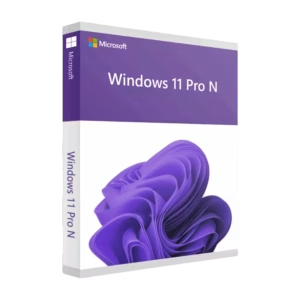
Windows 11 Pro N – Retail license
Original price was: 29,99 €.17,99 €Current price is: 17,99 €.Price includes VAT where it applies. Business customers can enter a valid EU VAT number at checkout to have VAT removed.
Get my license → -
Sale!

Windows 10 Pro N – Retail License
Original price was: 21,90 €.11,90 €Current price is: 11,90 €.Price includes VAT where it applies. Business customers can enter a valid EU VAT number at checkout to have VAT removed.
Get my license → -
Sale!
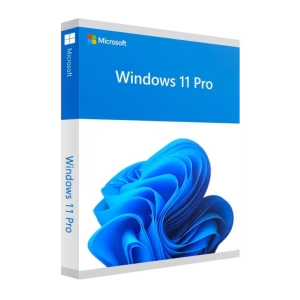
Windows 11 Pro Retail license
Original price was: 25,00 €.14,99 €Current price is: 14,99 €.Price includes VAT where it applies. Business customers can enter a valid EU VAT number at checkout to have VAT removed.
Get my license →