-
×
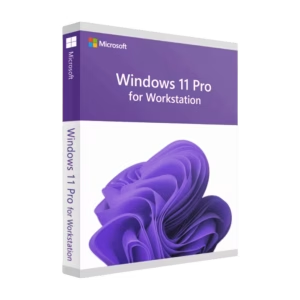 Windows 11 Pro for Workstations - Retail key
1 × 26,90 €
Windows 11 Pro for Workstations - Retail key
1 × 26,90 € -
×
 Visio 2021 Standard - Retail License
1 × 23,90 €
Visio 2021 Standard - Retail License
1 × 23,90 €
Subtotal: 50,80 €
 Windows 11 Pro for Workstations - Retail key
1 × 26,90 € Visio 2021 Standard - Retail License
1 × 23,90 €
Windows 11 Pro for Workstations - Retail key
1 × 26,90 € Visio 2021 Standard - Retail License
1 × 23,90 € Subtotal: 50,80 €
12,90 €
100 in stock
● In your inbox in under 3 minutes — instant digital delivery
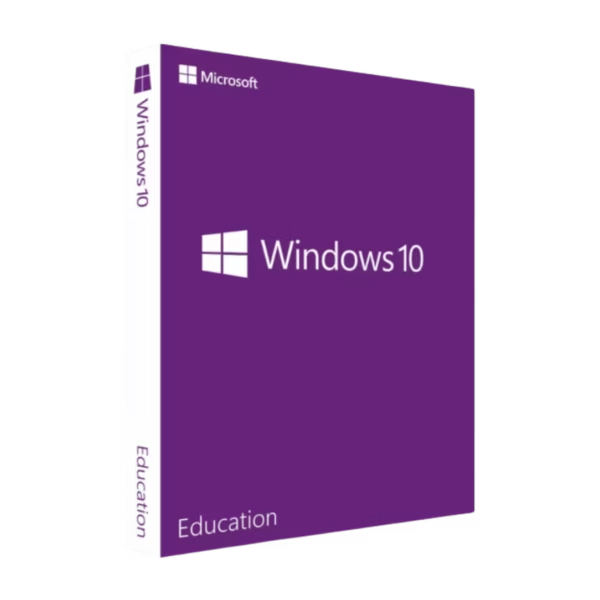
Windows 10 Education is a high-performance operating system designed for the Windows platform, tailored for students, teachers, and academic institutions. It comes with a lifetime license, instant digital delivery, and is sourced directly from an Authorized Microsoft Partner.
✅ Full Retail Key (Transferable)
✅ Includes Assigned Access & DirectAccess
✅ Instant Email Delivery
✅ Official Microsoft Download Link
✅ Free Email or WhatsApp support
Warranty: Includes our 1-Month Activation Guarantee to be eligible for our lifetime replacement warranty.
Your purchase is secured by our official partner status. We don’t just sell keys; we provide a secure, legitimate, and supported path to your new software.
Windows 10 Education is a robust, feature-rich edition based on Windows 10 Enterprise, tailored for students, teachers, and academic environments. It combines enterprise-grade security and management tools with the familiar Windows 10 experience, making it ideal for classrooms, computer labs, and demanding study workloads.
As an Authorized Microsoft Partner, we supply 100% genuine Retail licenses suitable for schools, universities, and individual students or educators who need advanced features beyond Home and Pro editions.
Perfect if you run demanding software (development tools, design suites, lab simulators) and want enterprise-level security and stability on your study device.
Ideal for lesson planning, remote teaching, and managing classroom or lab devices with advanced policy and security controls.
Use Windows 10 Education to standardize systems across classrooms, enforce security policies, and manage shared or kiosk devices.
| Platform | Windows |
|---|---|
| Edition | Windows 10 Education |
| License Type | Retail (Perpetual, 1 Device at a Time) |
| Target Audience | Students, Educators, Academic Institutions |
| Source | Authorized Microsoft Partner (ID: 7033487) |
| Devices | 1 PC / 1 User |
| License Duration | Perpetual (Non-Subscription) |
| Delivery | Instant Digital Email Delivery |
| Download Source | Official Microsoft Website |
| Activation | Online via Microsoft Servers |
| Processor | 1 GHz or faster compatible processor |
|---|---|
| RAM | 1 GB for 32-bit; 2 GB for 64-bit |
| Storage | Up to 20 GB available hard disk space |
| Graphics | DirectX 9 graphics processor with WDDM driver |
| Display | 800 × 600 resolution or higher |
Yes. This is a perpetual (non-subscription) Retail license for one device at a time. There are no recurring subscription fees.
This Retail license is intended for use on one PC at a time. If you replace your device, you may be able to reinstall and reactivate Windows 10 Education on new hardware in line with Microsoft’s license terms. Our support team can assist you with this process.
Yes. We are an Authorized Microsoft Partner (ID: 7033487). All keys are sourced through official distribution and validated online against Microsoft’s activation servers.
Yes. Although designed for education, it is based on Windows 10 Enterprise and can be used by advanced home users who want additional security and management features.
We provide installation support and an activation warranty according to our Terms & Conditions. If there is an issue during initial activation, we will work with you on troubleshooting or replacement within the warranty period.
| Brand | Microsoft |
|---|---|
| Language | Multilingual |
| Edition | Education |
| Architecture | 32/64-bit (Universal), 64-bit (x64) |
| Key Format | Retail Key |
| Activation Method | Online Activation |
| Delivery Method | Instant Delivery |
| Number of Devices | 1 Device |
| Region | Global |
| Platform | Windows |
| Product Family | Windows |
| Intended Use | Education |
Price includes VAT where it applies. Business customers can enter a valid EU VAT number at checkout to have VAT removed.
Get my license →
Price includes VAT where it applies. Business customers can enter a valid EU VAT number at checkout to have VAT removed.
Choose my license → This product has multiple variants. The options may be chosen on the product page
Price includes VAT where it applies. Business customers can enter a valid EU VAT number at checkout to have VAT removed.
Get my license →
Price includes VAT where it applies. Business customers can enter a valid EU VAT number at checkout to have VAT removed.
Choose my license → This product has multiple variants. The options may be chosen on the product page