
Best Antivirus for Older PCs: Real Protection on Tired Hardware
Fix it now
On an ageing PC the antivirus is rarely the real problem, but it is very often the last straw. Choosing something lighter genuinely helps; understanding what makes a product heavy helps more, and two PowerShell settings will do most of the work for free.
- Check the operating system first. Windows 10 reached end of support on 14 October 2025. The consumer Extended Security Updates programme runs until 12 October 2027 and provides only critical and important security updates – Microsoft states it does not include other fixes, feature improvements or technical support.
- Cap what a Defender scan may take:
Set-MpPreference -ScanAvgCPULoadFactor 20in an elevated PowerShell. Microsoft documents the valid range as 5 to 100, with 0 turning throttling off, and the default as 50. - Restrict scans to idle time:
Set-MpPreference -ScanOnlyIfIdleEnabled $true, then confirm both withGet-MpPreference. - Buy Webroot Essentials if footprint is what is deciding it. Note the name: Webroot states that Webroot Essentials is the new name for Webroot SecureAnywhere products. It is sold in 1, 3 and 5-device plans and lists a 10 MB hard disk space requirement.
- Skip full suites carrying optimisers, VPN agents and backup clients. Every extra resident service costs memory the machine does not have.
- Skip the software purchase entirely if the disk is the problem. A solid state drive and more memory will do more for this PC than any change of antivirus.
Microsoft’s caveat on the CPU cap: it is guidance to the scanning engine rather than a hard limit, and it is ignored if both ScanOnlyIfIdleEnabled and DisableCpuThrottleOnIdleScans are on.
If the two Defender settings fixed the stutter, you are done and you have spent nothing. Below is what actually makes a security product heavy, and what to stop blaming it for.
Why it happens
Four things make a security product feel heavy, in roughly this order. On-access scanning generates disk activity on every file read and written, which is invisible on a solid state drive and painful on a slow laptop disk. Definition updates download and then index, a burst of processor and disk work several times a day. Multiple resident services each hold memory, and a full suite may run several. And background optimisers run on their own schedule with no regard for what you are doing.
Disk queue depth is the mechanism behind the complaint people actually make. During a full scan on a mechanical drive, everything else waits behind the scanner’s reads. The machine is not slow because the processor is busy; it is slow because every application is queuing for the same head. That is why moving the scan to a different time helps more than switching to a product with a lower processor figure, and why Microsoft’s idle-only setting is the single most useful thing in this article.
We are not going to give you megabyte figures per product, because vendors do not publish comparable ones. The single published number in this category worth having is Webroot’s, which lists a 10 MB hard disk space requirement for Webroot Essentials. Everything else is a design argument: a product that makes determinations cloud-side has less to download and index locally than one shipping a large signature set, and a suite running four extra services costs more resident memory than one running one.
The machine crawls during scans and is fine otherwise
You have this one if Long pauses at predictable times, applications hanging and then recovering.
Set-MpPreference -ScanOnlyIfIdleEnabled $trueso scheduled scans run only when the computer is not in use.Set-MpPreference -ScanAvgCPULoadFactor 20to cap the share a scan may take; Microsoft documents 5 to 100 as valid, 0 to disable throttling, and 50 as the default.- Turn off any boot-time or startup scan in whatever product you run. On a mechanical disk that is the most noticeable single setting.
Two antivirus products are installed
You have this one if A previous suite was never removed, or an expired one is still registered.
- Remove the one you are not paying for, using the vendor’s removal tool rather than Programs and Features.
- Verify Defender’s state afterwards. Microsoft documents that it goes to passive mode when a non-Microsoft antivirus is installed, and that on some systems it does not switch back to active automatically once that product is uninstalled.
- Then look at the Startup tab in Task Manager and disable what does not need to run at boot.
It is not the antivirus at all
You have this one if The pauses are unpredictable, and they happen when nothing is scanning.
- Read the drive’s health status and reallocated sector count. A failing mechanical drive produces exactly the symptoms people attribute to antivirus, and no software change will help.
- Check for thermal throttling on a laptop, and for a browser holding thirty tabs on four gigabytes of memory.
- The honest ranking of upgrades: a solid state drive transforms an old PC, more memory helps second, changing antivirus is third.
One naming correction. This comparison used to recommend Webroot SecureAnywhere AntiVirus. Webroot’s own product page now states that Webroot Essentials is the new name for Webroot SecureAnywhere products, sold in 1, 3 and 5-device plans covering PCs, Macs, smartphones, Chromebooks and tablets. If you are renewing an old keycode or reading an older review, that is the same product line under a new name.
Full reference
The operating system question comes first
If the machine is still on Windows 10, that is the exposure, and no antivirus compensates for an unpatched platform. Microsoft’s dates are worth having exactly. Windows 10 reached end of support on 14 October 2025. The consumer Extended Security Updates programme provides access to critical and important security updates as defined by the Microsoft Security Response Center, and you can enrol at any time until the programme ends on 12 October 2027.
Microsoft is equally explicit about what ESU is not: enrolment does not provide other types of fixes, feature improvements or product enhancements, and it does not come with technical support. So it is a bridge, not a plan. On an old machine that cannot take Windows 11, the sensible arithmetic is to enrol, keep the antivirus decision cheap, and put the money towards the replacement.
The candidates on old hardware
| What is published | What that means on a tired machine | |
|---|---|---|
| Webroot Essentials | New name for Webroot SecureAnywhere products; 1, 3 and 5-device plans; PCs, Macs, smartphones, Chromebooks and tablets; 10 MB hard disk space requirement | The only vendor in this comparison publishing an installed-size figure, and it is a small one |
| ESET HOME Security Essential | Antivirus, anti-phishing, parental control, gamer mode and anti-theft on the entry tier; plans from 1 to 15 devices | You can buy the entry tier and still get the settings control; VPN is what higher tiers add |
| Microsoft Defender | Installed with Windows; scan behaviour controlled through Set-MpPreference | No extra services to install, but the scheduled scan is yours to manage |
| A full consumer suite | Varies; optimisers, VPN agents and backup clients each run as extra components | Every additional resident component is memory the machine does not have |
Configure it for a slow machine
- Set the scheduled scan for a time the PC is switched on but nobody is using it, and enable the idle-only option if there is one.
- Turn off any boot-time or startup scan.
- In Defender, cap the processor share with
Set-MpPreference -ScanAvgCPULoadFactor 20in an elevated PowerShell window. - Also in Defender, restrict scans to idle with
Set-MpPreference -ScanOnlyIfIdleEnabled $true, then confirm both withGet-MpPreference. - Remove the second antivirus, including an expired one, and check Defender came back to active afterwards.
- Uninstall the optimiser, toolbar and driver updater that arrived with the last product, then review the Startup tab in Task Manager.
Do not solve this with broad exclusions. Excluding a whole drive or the user profile removes most of the protection you are paying for. If you must exclude something, exclude one folder you understand, and keep the Downloads folder scanned.
What to stop blaming the antivirus for
Check the disk before you spend anything. A mechanical drive that is failing produces exactly the symptoms attributed to antivirus: long pauses, high queue depth, applications hanging and then recovering. Read the drive’s health status and its reallocated sector count, and if it is failing, no software change will help. Dust and thermal throttling produce a similar picture on laptops.
After that, the usual suspects are a browser holding thirty tabs on four gigabytes of memory, Windows Search indexing a large folder, and startup programs nobody has reviewed in a decade. If the budget stretches to only one improvement, it is not the software.
What to put on which machine
- The machine is at its limit and must stay in service: Webroot Essentials, which is the current name for the SecureAnywhere line and publishes the smallest disk requirement here.
- You want a light client with web filtering, parental controls and settings you can reach: ESET HOME Security Essential is enough; you do not need the higher tiers for those.
- The PC is being replaced within a few months: keep Defender, apply the two settings above, spend nothing.
- The PC belongs to a relative who will not manage settings: whatever you install, fix the scan schedule before you hand it back.
- Windows 10 without ESU enrolment: enrol or replace. That decision matters more than the antivirus one.
- The machine is used for online banking only: Defender plus a current browser is defensible. Buy the solid state drive instead.
When a licence is the actual fix
If the machine has to stay in service and the footprint is what is deciding it, Webroot Essentials is the licence we suggest – and note the name, because Webroot states that Essentials is the new name for the SecureAnywhere products, so an older review or an old keycode refers to the same line. Webroot sells it in 1, 3 and 5-device plans covering PCs, Macs, smartphones, Chromebooks and tablets, and publishes a 10 MB hard disk space requirement. Arco supplies it as an electronic licence by device count and term. Tell us how many machines and how old they are, and if what you describe is a failing disk or an unenrolled Windows 10 install rather than a heavy scanner, we will say so rather than sell you a subscription that will not fix it.
Questions people ask about this
Is Defender lighter than a paid suite?
Lighter than a full suite running an optimiser and a VPN agent, because it is one component of the operating system rather than several added services. It is not lighter than deliberately minimal paid products, and its scheduled scans can be heavy on a mechanical disk until you take charge of the schedule with ScanOnlyIfIdleEnabled and ScanAvgCPULoadFactor.
Will a lighter antivirus make my PC fast again?
It removes one source of contention, which on a machine that is otherwise healthy is noticeable. It will not fix a failing disk, insufficient memory or a decade of accumulated startup software. Read the drive’s health status before you spend anything.
Is Webroot SecureAnywhere still sold?
Under a different name. Webroot’s own page states that Webroot Essentials is the new name for Webroot SecureAnywhere products. It is sold in 1, 3 and 5-device plans and lists a 10 MB hard disk space requirement, which is the smallest published figure among the products in this comparison.
My PC is on Windows 10 – does antivirus cover me?
Not for the operating system itself. Windows 10 reached end of support on 14 October 2025, and the consumer ESU programme runs until 12 October 2027 providing only critical and important security updates, with Microsoft stating it does not include other fixes, feature improvements or technical support. Enrol or replace; antivirus on an unpatched platform is a partial answer at best.
Is it worth licensing antivirus for a PC I plan to replace?
Usually not. If the machine has months rather than years left, keep Defender, apply the two scan settings, and put the money towards the replacement or a solid state drive that will make the old machine usable again.
Need a genuine license? Choose your edition:

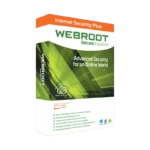
Webroot Internet Security Plus - global license
Original price was: 24,90 €.18,90 €Current price is: 18,90 €.
Get It NowInstant digital delivery · Genuine license · 15 years trusted
Was this article helpful?
Your feedback helps us improve our documentation.
Thanks for your feedback.
Anything you'd like to add? (optional)
Related articles
Review Norton Small Business vs Bitdefender Small Office Security Compared Review Best Antivirus for Small Business in 2026: Five Options, One Shortlist Review Endpoint Protection for 10 to 50 Seats: The Awkward Middle Ground Review Sophos Home Premium vs Bitdefender: Remote Management for Family PCs